Tenant Manager
Extend the Tenant Model
Learn how to add custom fields to the tenant model
- How to add custom fields to the tenant model
Overview
Tenant records are extensible — you can attach custom fields to any tenant, which is useful for storing per-tenant configuration such as branding settings, feature flags, or third-party integration credentials.
The TenantModelExtension allows you to add custom fields to the Tenant model. Note that fields are stored under the tenant.extensions object — you cannot add fields to the root of the model. Once added, they automatically appear in the Tenant form in the Admin UI and in the GraphQL schema.
Quick Setup
Run the following command to quickly set up the extension in your Webiny project:
yarn webiny extension tenant-fields
Once the extension is in place, start the webiny watch command:
yarn webiny watch api
Alternatively, continue reading this article to learn how to create this extension from scratch.
Create an Extension
Import the TenantModelExtension and implement the execute method. The extension parameter provides two methods: fields() and layout().
Register your extension in webiny.config.tsx:
With all steps completed, you should see your custom fields in the Tenant form:
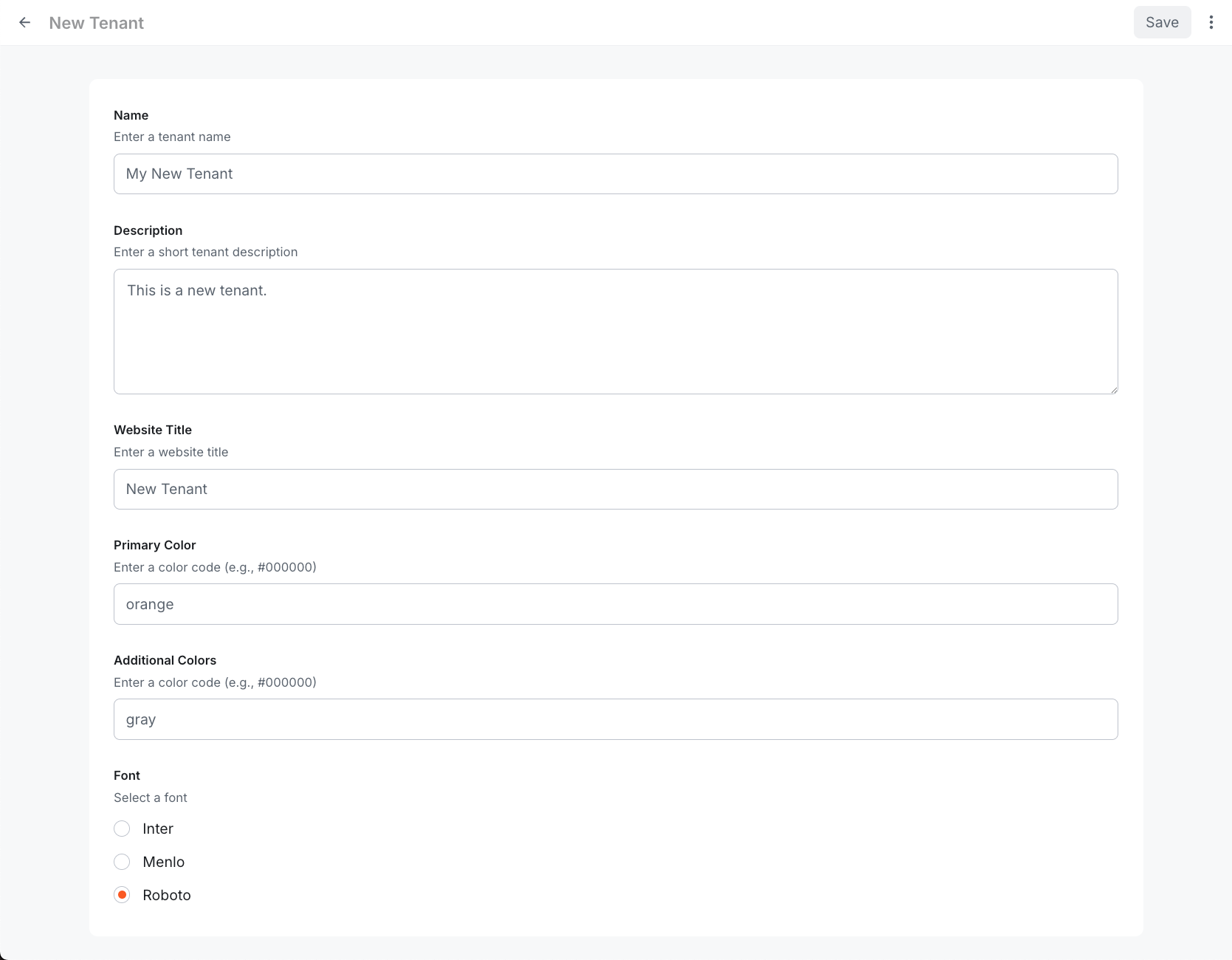 Tenant form with custom fields
For all available field types, see CMS model fields.